Cloudflare Worker Builder

Deploy a VLESS-over-Cloudflare-Worker proxy to your own free Cloudflare account, with optional dual-Worker chain for extra reach inside Iran.

What is a Cloudflare Worker?

Cloudflare Workers is a free serverless platform: tiny JavaScript scripts that run on Cloudflare's global edge. We use one to terminate a VLESS WebSocket on a 'workers.dev' subdomain, which gives you an always-clean Cloudflare IP without you having to find one with the scanner.

Who is this for?

Anyone who already has a Cloudflare account and wants their own private proxy. The free plan is enough; you do NOT need a paid Cloudflare plan or a custom domain.

This is a Pro-only feature.

Upgrade to Pro to unlock

How to get the API token

  1. Sign in at https://dash.cloudflare.com
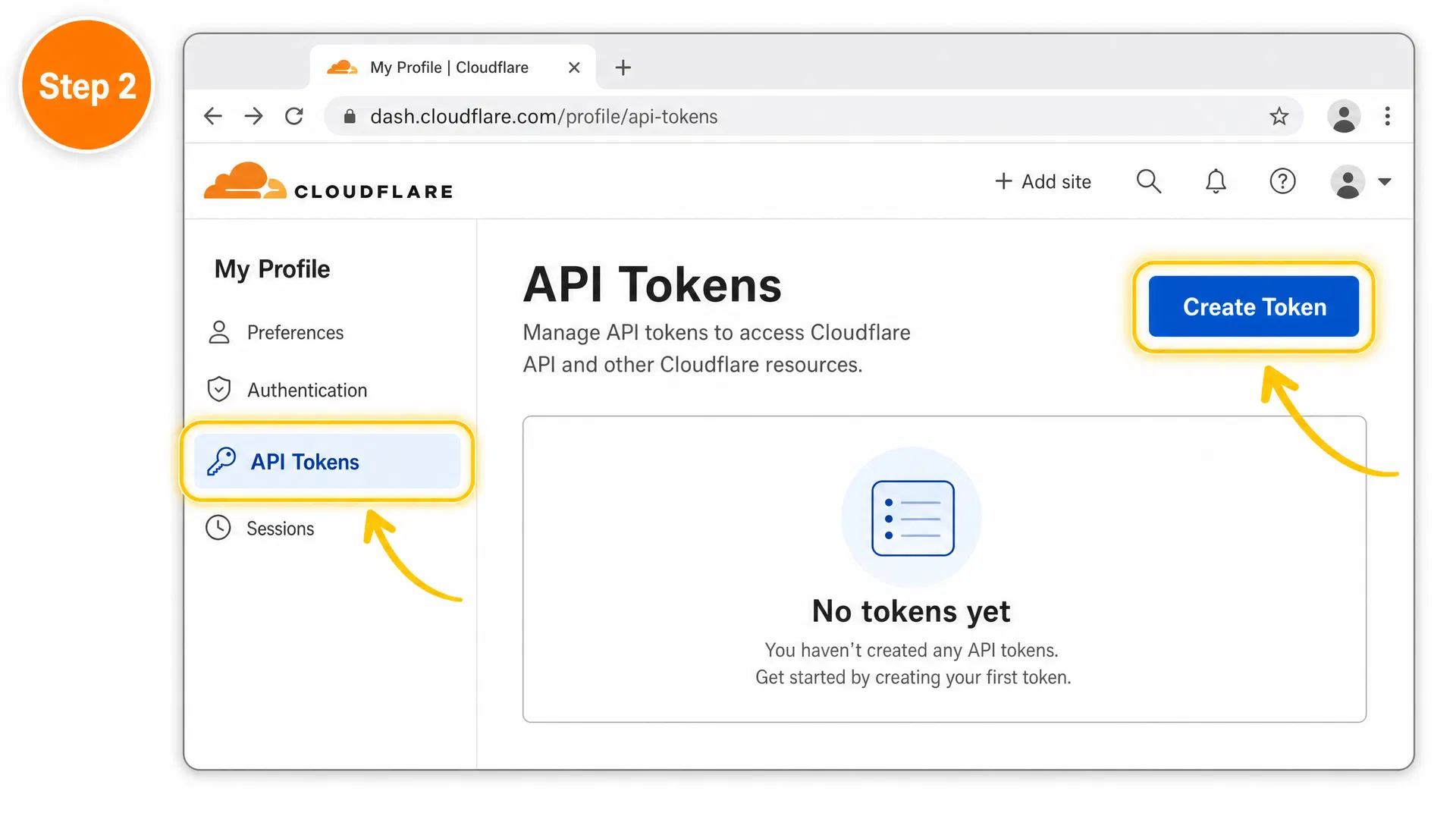
  2. Open My Profile → API Tokens → Create Token.
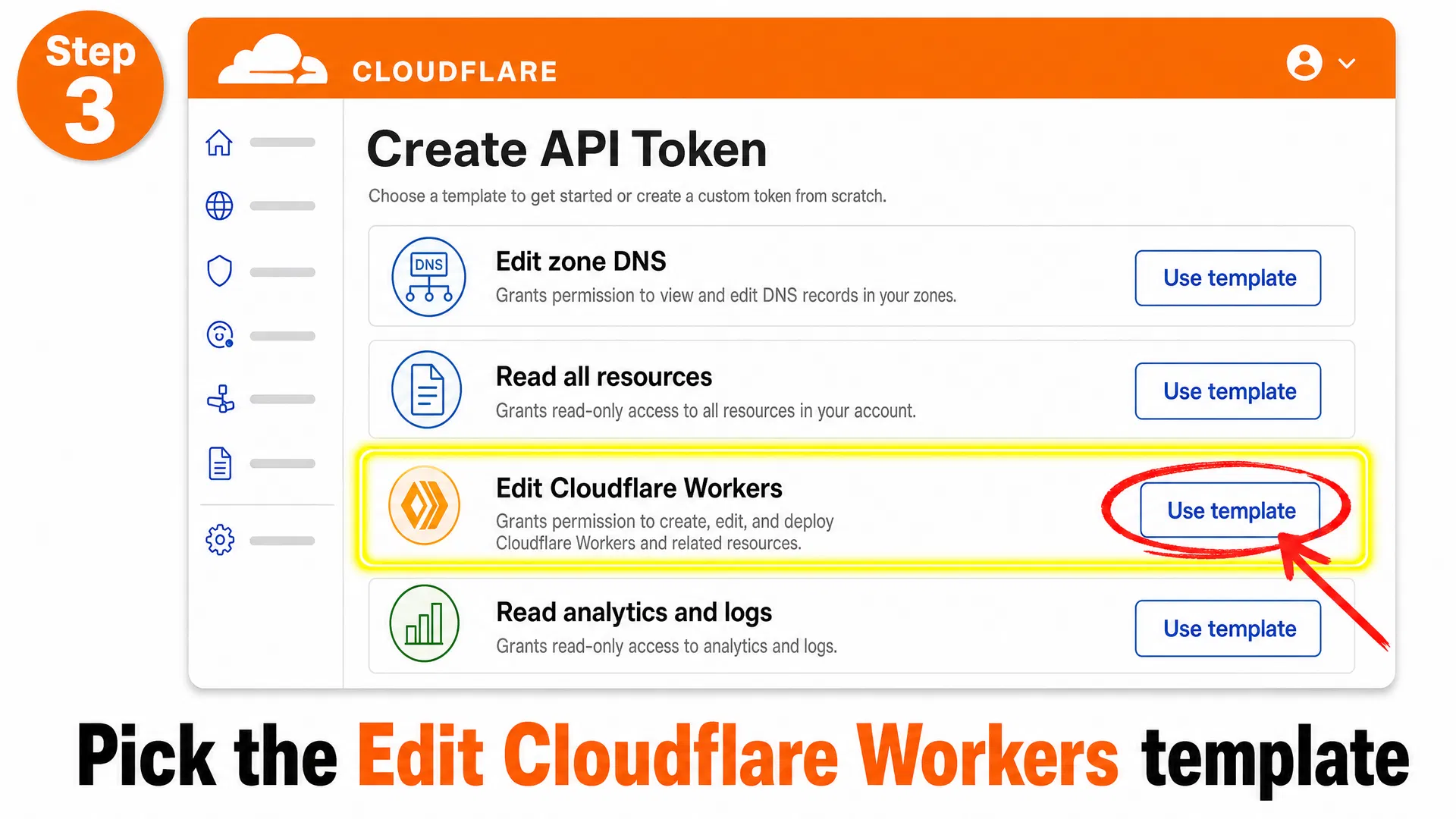
  3. Choose 'Edit Cloudflare Workers' template.
  4. Pick your account, leave the zone field as 'All zones'.
  5. Click Create Token, copy the value, paste it below. We never store it.
Treat this token like a password. We use it only for this single deployment and then drop it from memory.

Follow these four screenshots to get an API Token and your Account ID.
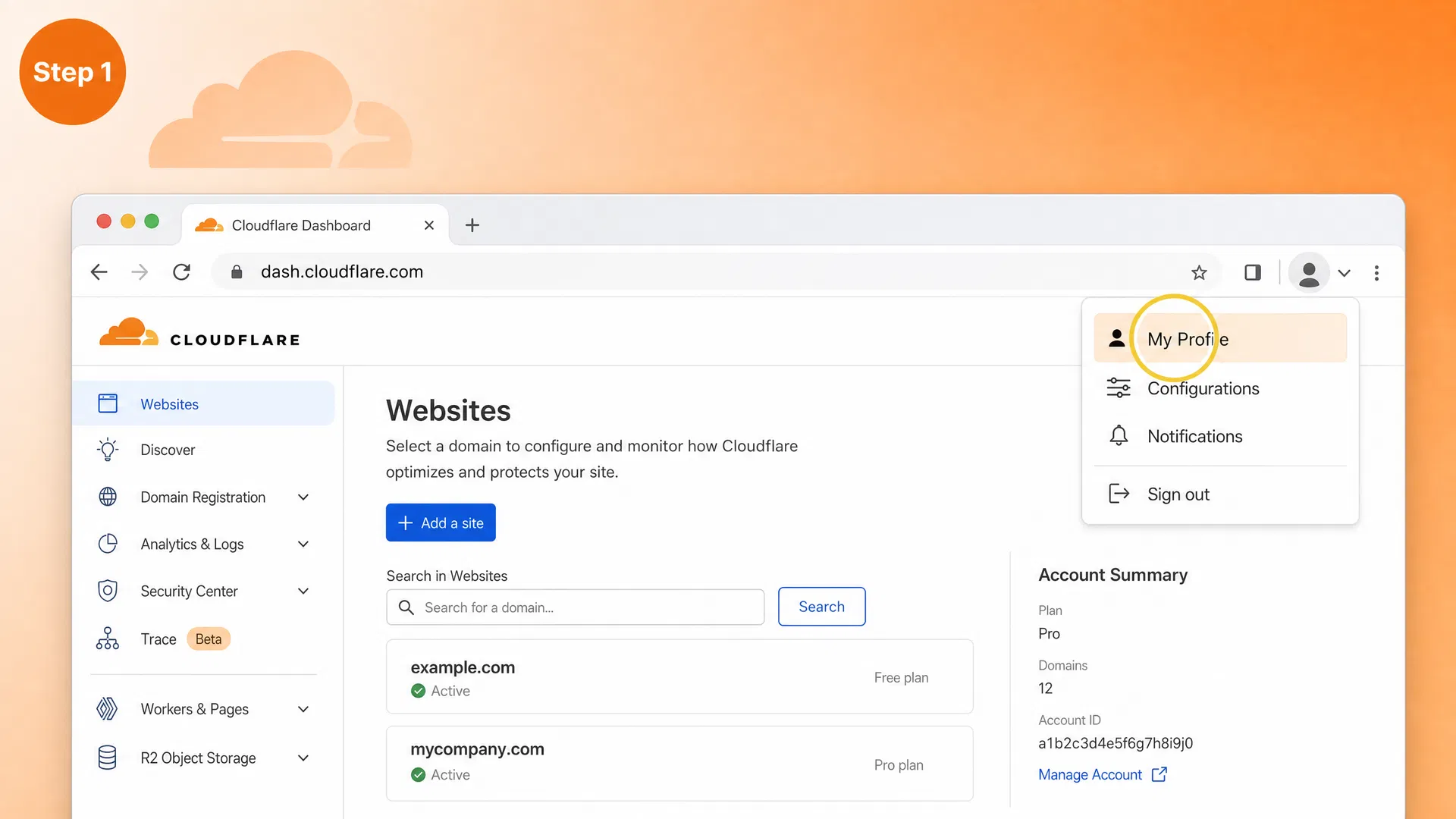
Step 1 — Open your profile
Sign in to dash.cloudflare.com, click your avatar in the top-right corner, and pick 'My Profile'.
Step 2 — Go to API Tokens
In the left sidebar pick 'API Tokens', then click the blue 'Create Token' button.
Step 3 — Use the 'Edit Cloudflare Workers' template
Choose this template (NOT 'Read all resources', and NOT a custom token), pick your account, leave 'All zones' selected, then create the token. Copy the value — you will only see it once.
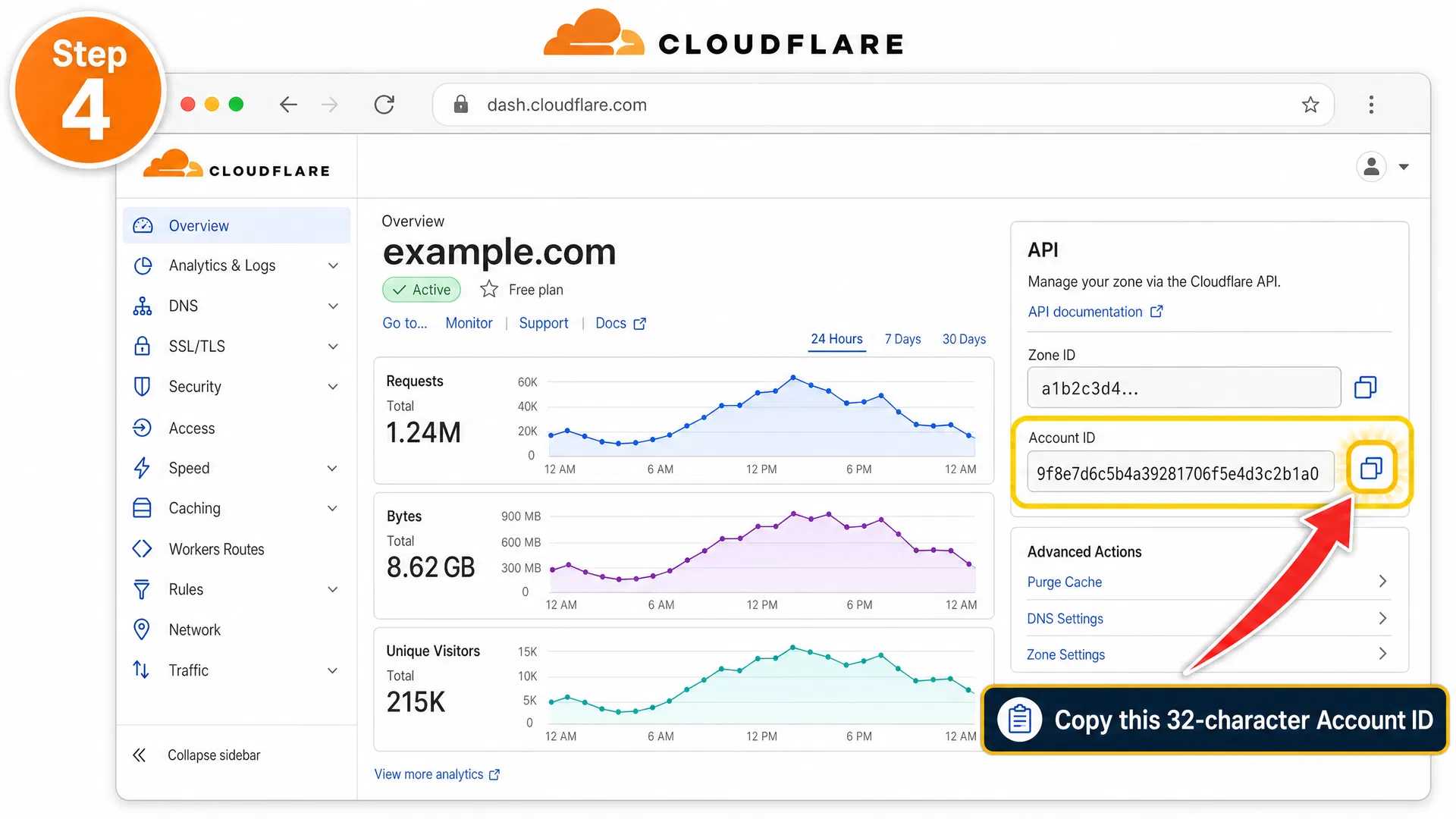
Step 4 — Copy your Account ID
Open any of your sites in Cloudflare. The right sidebar shows 'Account ID' (32 hex characters). Copy it.
Got 'Authentication error'?
That means Cloudflare rejected the token or account ID. The most common causes are: extra spaces when pasting, using a Global API Key instead of an API Token, missing the 'Workers Scripts: Edit' permission, or pasting an Account ID that does not belong to that token's account.

After you deploy the Worker, copy the VLESS link and import it into your mobile VPN client.
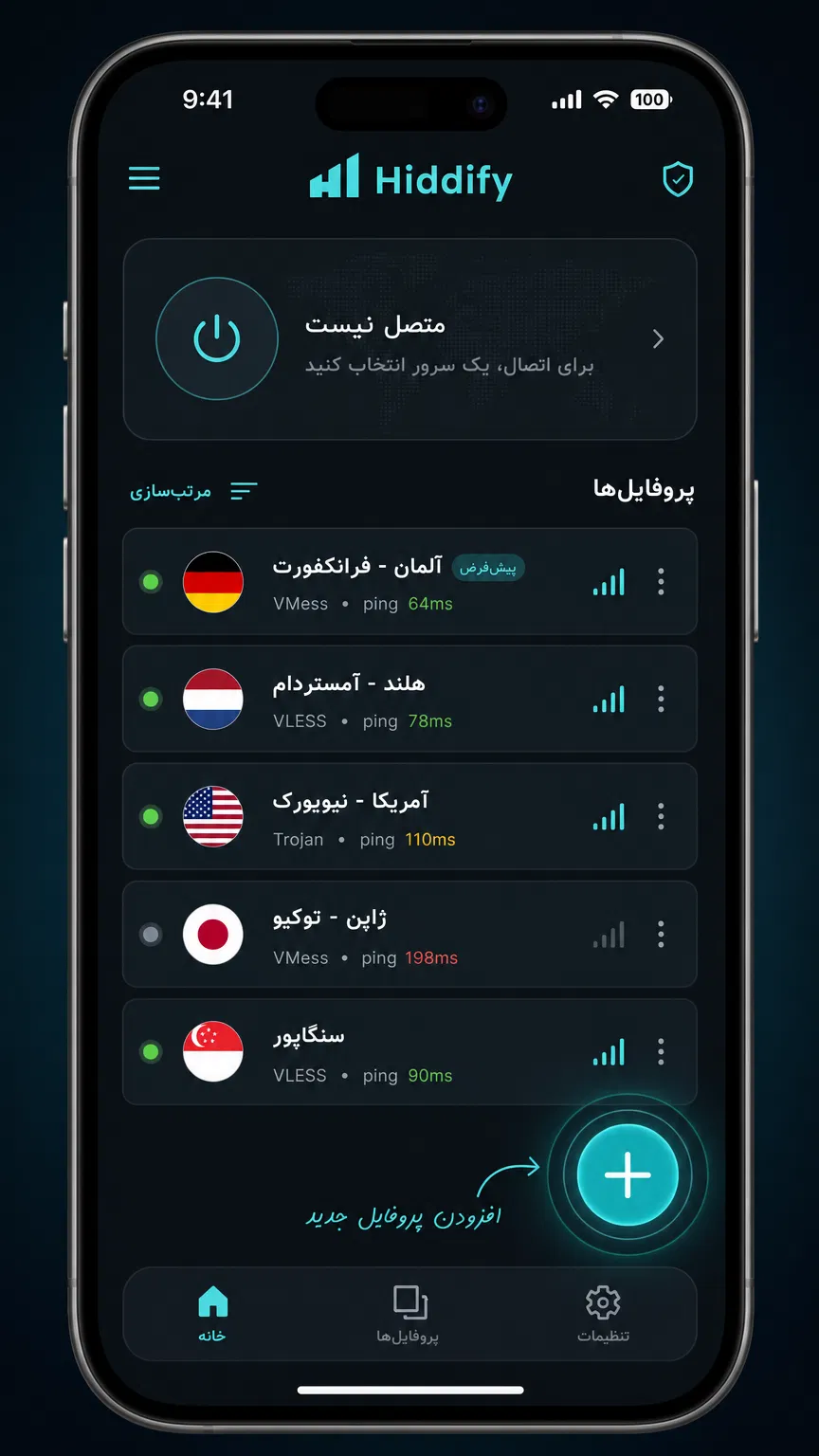
Step 1 — Open Hiddify and tap the '+' button
Launch the Hiddify app on your phone. Tap the large '+' button at the bottom-right to add a new configuration.
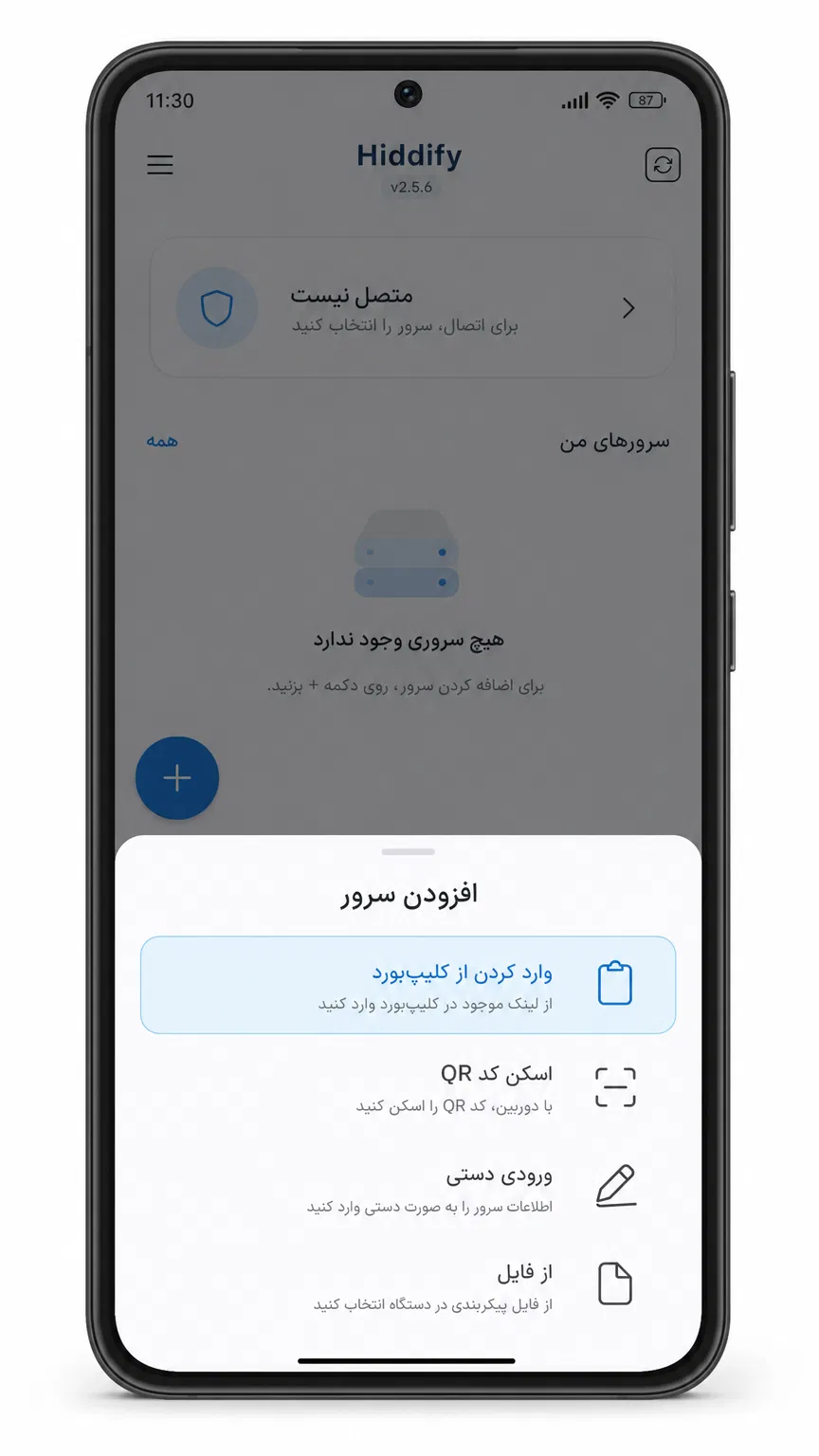
Step 2 — Select 'Import from Clipboard'
A menu will appear with options. Tap 'Import from Clipboard' to paste the VLESS link you just copied from this page.
Step 3 — Confirm the import
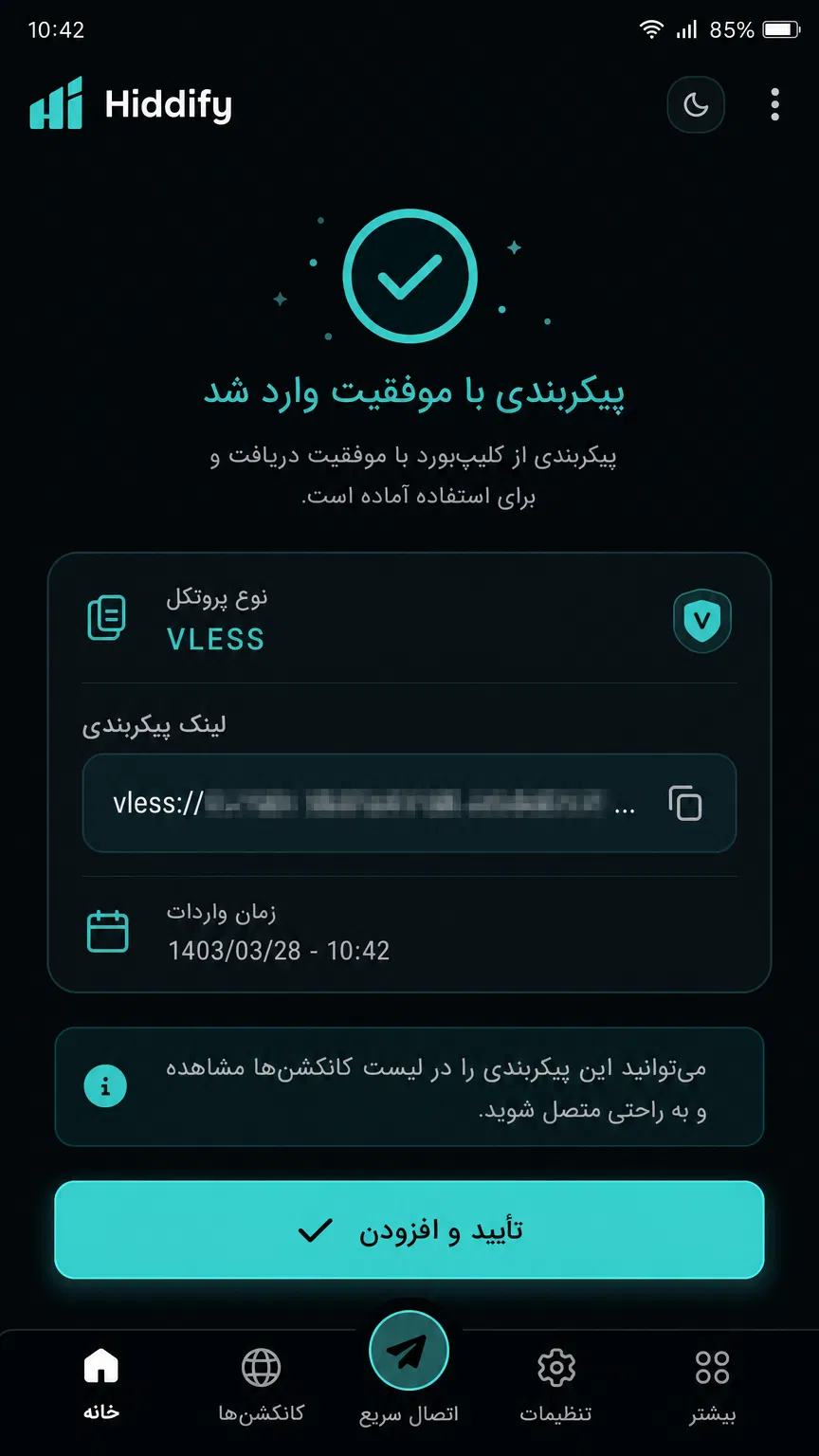
Hiddify will show the VLESS link and ask for confirmation. Tap 'Confirm and Add' to import the configuration.
Step 4 — Connect and browse
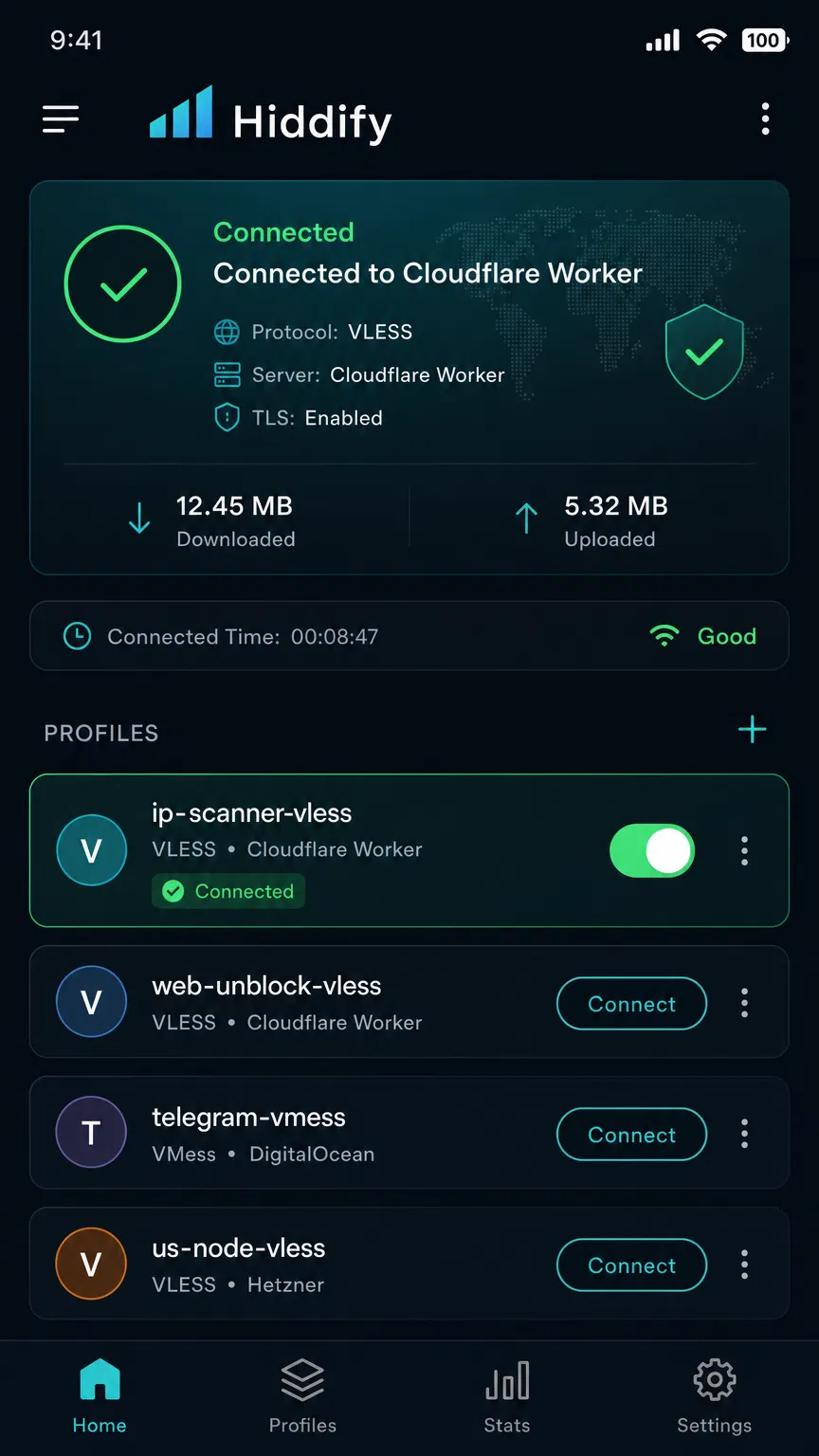
The new profile will appear in your list. Tap the toggle switch to connect. You should now be able to browse freely.
This is a Pro-only feature.

Right sidebar of the Cloudflare dashboard, under your account name. 32 hex characters.

This is the secret that authenticates your client. Generate a fresh one — never reuse a public UUID.

Lowercase letters, digits and dashes. Becomes part of the workers.dev URL.

Security: your API token never leaves your browser session. We pass it once to Cloudflare and forget it.
Important

Cloudflare's free plan limits Workers to 100,000 requests/day per account, which is plenty for personal use but not for sharing publicly. Also, Workers pricing or free-plan rules may change — please check Cloudflare's docs before relying on this.